Common problems
The icon shows no number, or the popup says no video was found
Start the video first: many sites only load it when you press play. If the page was already open when you installed the extension, reload it. Videos inside an embedded player from another site are caught too, once they start playing.
The download fails with HTTP 403 or 401
The site's video links are tied to your session and have expired, or the site checks where requests come from. Reload the page, play the video again and download straight away. Downloads use the page's own address and your browser's cookies, so a fresh page usually works.
The saved MP4 has no sound
Some sites send the sound as a separate stream. The extension merges separate picture and sound files when it finds both; for some HLS streams it can't, and it warns you before the download starts.
It says the video is encrypted or protected
The site uses DRM or encrypted streams (an #EXT-X-KEY line in its playlist). Those can't be saved, by design. Netflix, Disney+, Prime Video and similar services fall into this group.
It says it's a live stream
Live streams have no end, so there's nothing complete to save. Once the broadcast is over, most sites post a replay, which can be saved.
The MP4 skips, or part of it is missing
Some pieces couldn't be downloaded (the popup says how many). Try again on a steadier connection, or pick a lower quality. Very long videos can also expire part-way through on sites with short-lived links.
I got a .ts file instead of an MP4
The video uses a format (such as H.265 video or AC-3 sound) that can't go into MP4 without re-encoding, so the pieces were joined into one .ts file. VLC plays it, and so do most media players.
It doesn't work on YouTube
That's deliberate: YouTube's terms don't allow downloaders, and browser stores remove extensions that support it.
Still stuck? Tell us
Open the Support tab on the Chrome Web Store listing and describe what happened. It helps a lot to include:
- the website (the address of the page with the video),
- your browser and its version,
- what the popup showed, or the exact error message.
Reports like these are how fixes get into the next update.
Not installed yet?
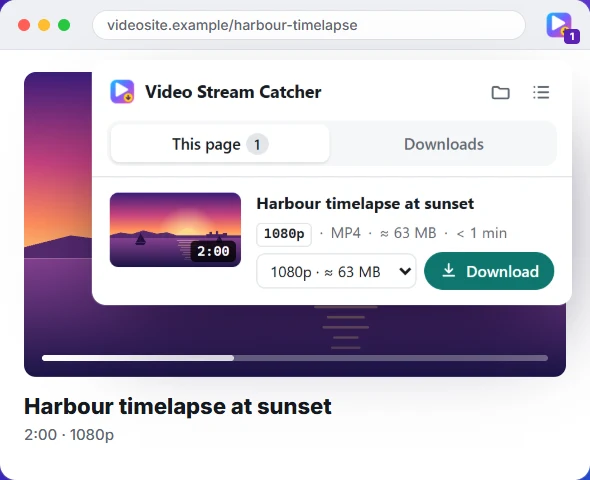
The free Video Stream Catcher extension spots the video on the page you're watching, M3U8 or not. Click its icon, pick a quality and press Download: you get one MP4 file. It also works where this page can't, because it runs on the video's own page.
Free · No sign-up · No ads · Chrome, Edge and Firefox