Updated 23 November 2026
To save or play an HLS stream outside its website, you need its .m3u8 link: the playlist that lists the video's pieces. The page's player requests it as soon as the video starts, and your browser's developer tools show every request the page makes.
Chrome and Edge
- Open the page with the video, but don't play it yet.
- Press F12 (or Ctrl+Shift+I; on a Mac Cmd+Option+I) and click the Network tab.
- In the Filter box, type
m3u8. - Play the video. One or more requests ending in .m3u8 appear. If the video was already playing, reload the page with developer tools open.
- Right-click the first one and choose Copy → Copy URL.
Firefox
- Press F12 and open the Network tab.
- Type
m3u8in the Filter URLs box and play the video. - Right-click the request and choose Copy Value → Copy URL.
Safari
- Turn on the Develop menu: Safari → Settings → Advanced → Show features for web developers.
- Choose Develop → Show Web Inspector, then the Network tab.
- Filter for
m3u8, play the video, select the request and copy its URL from the details panel.
Which link to take
You'll often see several .m3u8 requests. The first is usually the master playlist, which lists every quality. The later ones are the playlists of single qualities the player switched between. The master is the best one to copy: the M3U8 to MP4 converter lists its qualities so you can choose.
Copy the whole link, including anything after ?. That part is often a token without which the server answers 403.
Copy as cURL to keep the headers
If the link answers 403 when you use it elsewhere, the server wants the headers the page sent (usually its address as the Referer, sometimes cookies). In Chrome or Edge, right-click the request and choose Copy → Copy as cURL: you get the link together with every header. The -H 'referer: …' part is what to pass to FFmpeg as -headers "Referer: …"; see the FFmpeg guide.
Check it works
Paste the link into the M3U8 player. If it plays, you can save it with the converter or with ffmpeg -i "LINK" -c copy video.mp4. If the player says the server blocked it, the site only lets its own pages read the stream; the link is fine for FFmpeg or the extension.
Nothing shows up?
- Filter for
mpd: the site may use DASH instead of HLS. - Choose the Media filter: if you see an .mp4 or .webm, it's a plain file. Open it in a new tab and save it.
- Lots of .ts pieces but no .m3u8? Some sites load numbered pieces with no playlist. FFmpeg can't use those directly, but the extension can.
- Inside an embedded player? Developer tools include requests from embedded frames too; make sure no other filter is set.
Or skip developer tools
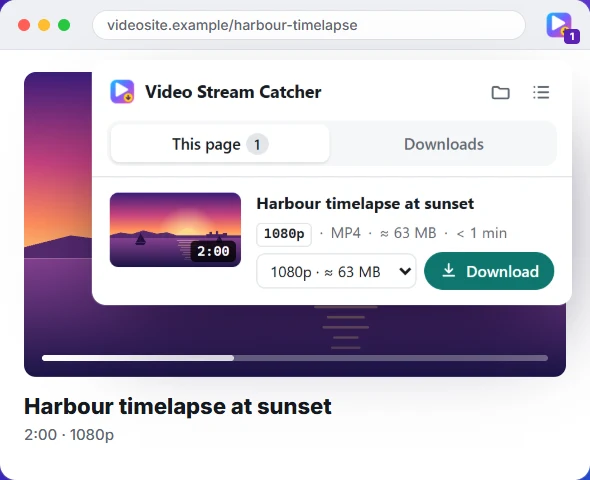
The Video Stream Catcher extension does all of this for you: play the video, click its icon, and every stream the page loaded is listed with its length, quality and size, ready to save as MP4.