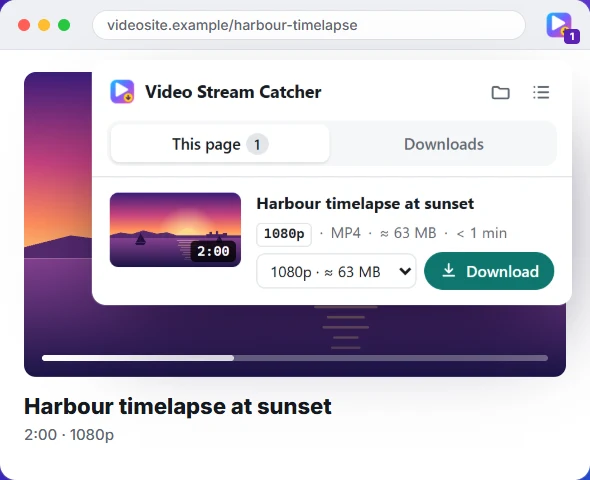
How it works
Three clicks from video to MP4
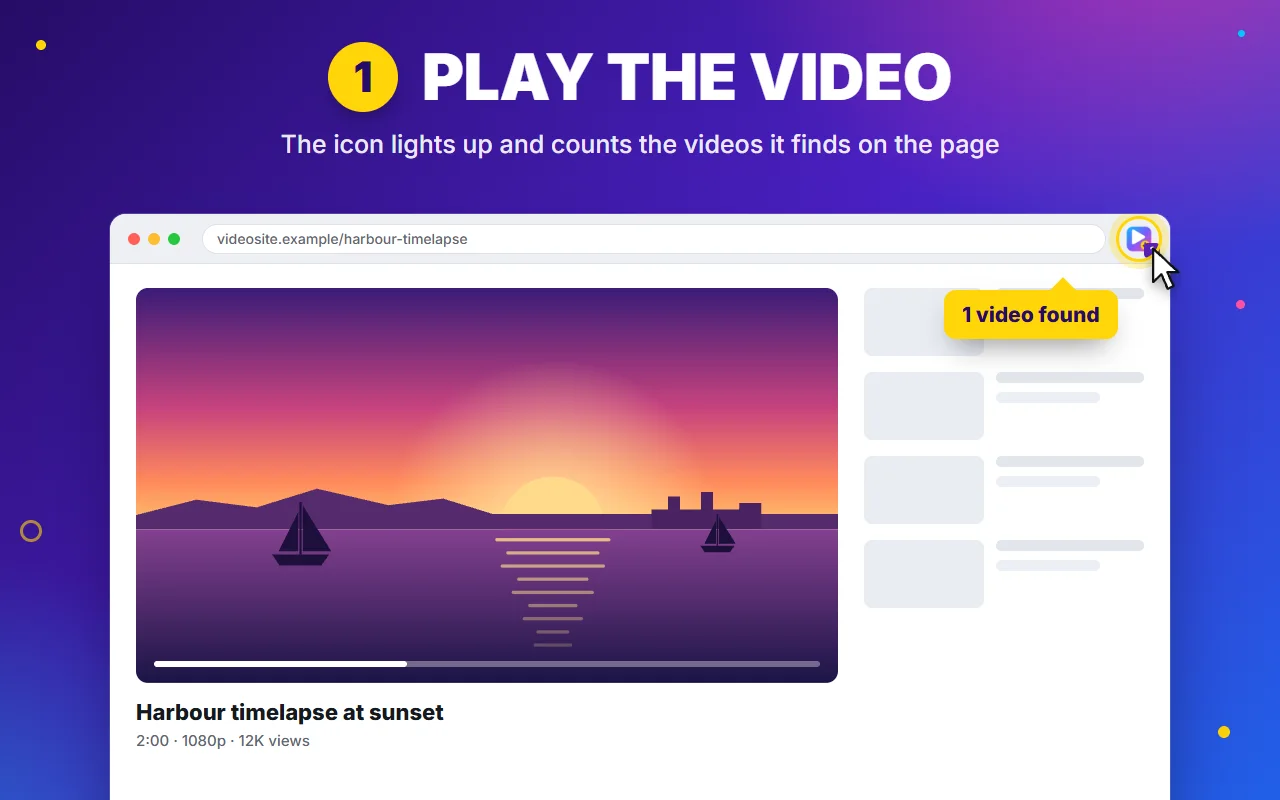
1. Play the video
The icon counts the videos the page loaded.
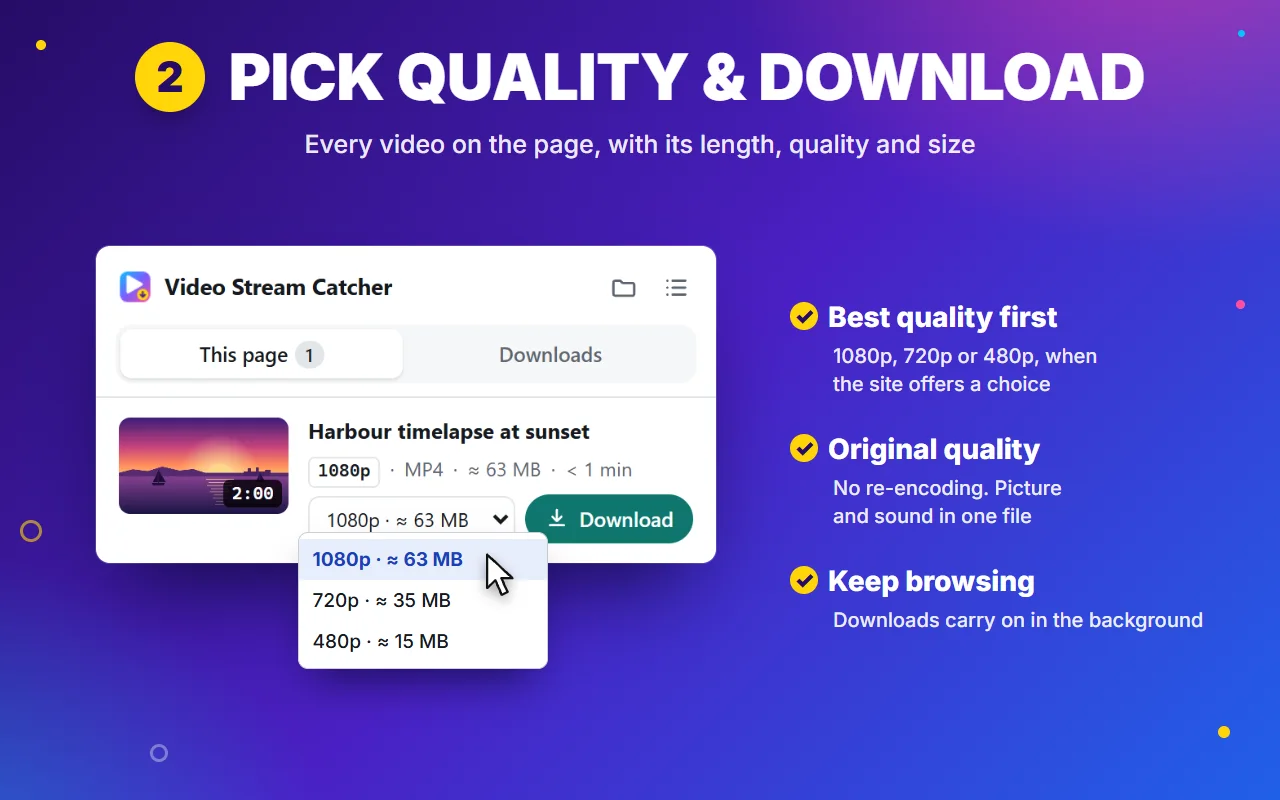
2. Pick a quality
See the size and time first, then press Download.
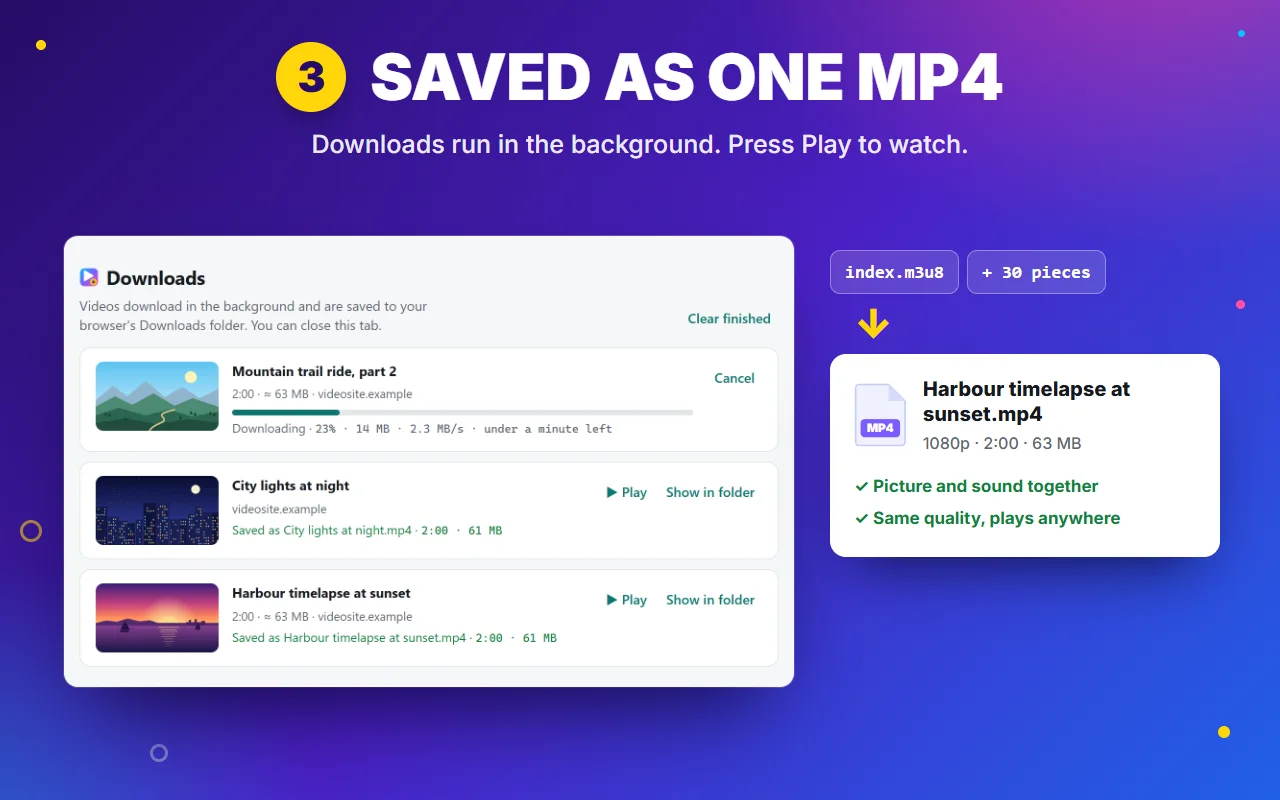
3. Get one MP4
Every piece is joined into one file in your Downloads.
Features
Made for the videos other downloaders miss
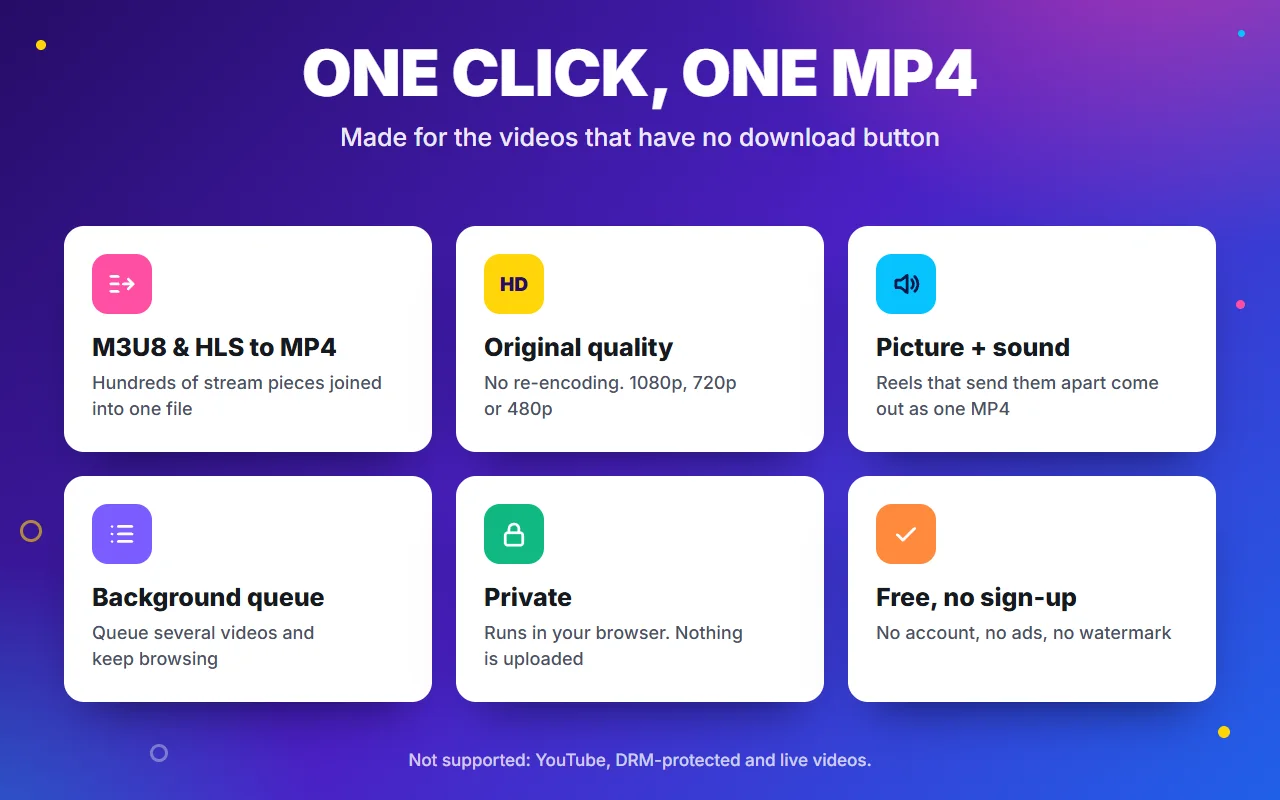
Most sites don't play one video file: they stream hundreds of small pieces. Video Stream Catcher collects them and gives you a single MP4.
Finds the video for you
Press play and the icon shows how many videos the page loaded. No digging through developer tools for links.
Streams, pieces and files
M3U8/HLS playlists, numbered .ts pieces with no playlist (even disguised as images), blob: videos and plain MP4s.
See it before you save it
Each video gets a picture, its length, quality, estimated size and download time. Pick the quality you want.
Original quality
Pieces are joined into one MP4 without re-encoding, so the picture and sound are exactly what the site sent.
Picture and sound together
Sites that send picture and sound as separate files get them merged into one MP4 that plays with sound.
Private by design
Everything happens in your browser: no account, no servers, no tracking. Videos go straight to your Downloads folder.
Free online tools
No extension? Use it on this site
The same engine runs in these pages. Nothing is uploaded: your browser does the work.
Straight answers
What it won't do
So you don't install it for the wrong job:
- YouTube. Not supported, by browser-store rules.
- Netflix, Disney+, Prime Video and other DRM services. Encrypted on purpose; never broken.
- Live streams. There's no end to save. Wait for the replay.
Everything else that plays in your browser without encryption is fair game: course videos, webinars, reels, news clips and your own uploads.
Guides
How to save streaming video
Download an M3U8 video
With an extension, an online converter or one FFmpeg command, and which to use when.
Read the guide →
No download button?
Right-click, Inspect or an extension: find the real video behind the player and save it.
Read the guide →
Find the M3U8 link
Spot the playlist in the Network tab, and tell the master list from a single quality.
Read the guide →
Download a blob video
Why a blob: link won't open in a new tab, and how to save the stream behind it.
Read the guide →
What is an M3U8 file?
What's inside an M3U8 playlist, how it differs from M3U, TS and MP4, and how to open one.
Read the guide →
FFmpeg: M3U8 to MP4
The one-line command, headers for links that answer 403, and fixes for common errors.
Read the guide →
Save lecture recordings
Keep course, lecture and webinar recordings to rewatch offline, when your course allows it.
Read the guide →
Questions people ask
Is Video Stream Catcher free? Do I need an account?
It's free to install and use, with no sign-up, no account and no ads.
Is this HLS downloader extension safe?
It has no servers, no analytics and no tracking, and sends nothing about you or your browsing anywhere. It needs access to all websites only because videos can be on any site and are often served from separate video servers. The privacy policy explains each permission in plain words.
Can it download blob videos?
Yes, in most cases. A blob: video is built in memory from a stream, and the extension catches that stream (an M3U8 playlist, numbered pieces, or separate picture and sound files) and saves it as one MP4. Blob videos protected by DRM can't be saved. More about blob videos.
Does it work in Firefox and Edge?
It's live on the Chrome Web Store, and Edge installs it from there. Dedicated Edge Add-ons and Firefox Add-ons listings are in review. It also runs in Brave and Vivaldi.
Why isn't my video showing up?
Press play first: many sites only load the video when it starts. If the page was open before you installed the extension, reload it. If it still doesn't appear, the video may be protected, or it may be YouTube, which isn't supported. More fixes.
Which websites does it work on?
Most sites that play video without DRM: course and webinar platforms, news sites, social media reels, and pages that play M3U8 streams or plain MP4 files. If the video plays and isn't encrypted, it can usually be saved.
Why doesn't it work on YouTube, Netflix or live streams?
YouTube's terms don't allow downloaders, and browser stores remove extensions that try. Netflix, Disney+, Prime Video and similar services use DRM encryption, which the extension never breaks. Live streams have no end to save. It tells you when one of these is the reason.
Where do the videos go?
To your browser's Downloads folder, as one MP4 named after the page. The extension's Downloads tab lists them, with buttons to play each one or show it in its folder.
Can I save any video I find?
Save only videos you have the right to save: your own uploads, lectures and webinars you have access to, and openly licensed media. Respect each site's terms.
Save your first video in a minute
Install the free extension, open a page with a video and press play. Click the icon, and the video is listed with its quality and size. Press Download: one MP4 lands in your Downloads folder.
Free · No sign-up · No ads · Chrome, Edge and Firefox