How to Download M3U8 Video as MP4 (3 Free Ways)
With an extension, an online converter or one FFmpeg command, and which to use when.
Read the guide →
How to Download a Video From a Website (No Download Button)
Right-click, Inspect or an extension: find the real video behind the player and save it.
Read the guide →
How to Find a Video's M3U8 URL with Browser DevTools
Spot the playlist in the Network tab, and tell the master list from a single quality.
Read the guide →
How to Download a Blob Video (blob: URL) as MP4
Why a blob: link won't open in a new tab, and how to save the stream behind it.
Read the guide →
What Is an M3U8 File? How to Open, Play and Save One
What's inside an M3U8 playlist, how it differs from M3U, TS and MP4, and how to open one.
Read the guide →
FFmpeg M3U8 to MP4: The Command, and Fixes for Errors
The one-line command, headers for links that answer 403, and fixes for common errors.
Read the guide →
How to Save Lecture and Webinar Recordings for Offline
Keep course, lecture and webinar recordings to rewatch offline, when your course allows it.
Read the guide →
Skip the copying and pasting
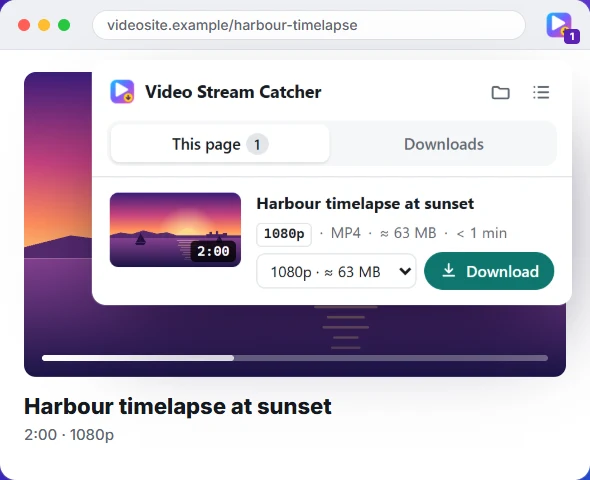
The free Video Stream Catcher extension spots the video on the page you're watching, M3U8 or not. Click its icon, pick a quality and press Download: you get one MP4 file. It also works where this page can't, because it runs on the video's own page.
Free · No sign-up · No ads · Chrome, Edge and Firefox