Updated 23 November 2026
M3U8 in one minute
An M3U8 file is a playlist for HLS (HTTP Live Streaming), the most common way websites stream video. It's a small text file, written in UTF-8 (the "8" in the name), that lists the short pieces a video is cut into, in order. A player reads the list, downloads the pieces one after another, and plays them as one seamless video.
That's why downloading an .m3u8 gives you a file of a few kilobytes that won't play on its own: the video is in the pieces it points to, not in the playlist.
Inside an M3U8: an example
Here's a typical media playlist, with what each line means:
#EXTM3U                      ← "this is an M3U playlist"
#EXT-X-VERSION:3
#EXT-X-TARGETDURATION:6      ← pieces are at most 6 seconds long
#EXTINF:6.000,               ← the next piece lasts 6 seconds
segment_000.ts               ← …and here it is
#EXTINF:6.000,
segment_001.ts
#EXTINF:4.200,
segment_002.ts
#EXT-X-ENDLIST               ← the video ends here (no line = live stream)
Two lines to watch for: #EXT-X-ENDLIST means the video is complete and can be saved; without it, it's a live stream. #EXT-X-KEY means the pieces are encrypted.
Master and media playlists
Most sites use two levels. The master playlist lists the same video at several qualities:
#EXTM3U
#EXT-X-STREAM-INF:BANDWIDTH=5000000,RESOLUTION=1920x1080
1080p/index.m3u8
#EXT-X-STREAM-INF:BANDWIDTH=2800000,RESOLUTION=1280x720
720p/index.m3u8
Each line points to a media playlist like the one above. The player starts with one quality and switches up or down as your connection changes. When you save a stream, you pick one of them.
M3U8 vs M3U, TS and MP4
| Format | What it is |
|---|---|
| M3U8 | A UTF-8 text playlist; for HLS streams it lists the video's pieces |
| M3U | The same playlist format in older text encodings, mostly for music playlists |
| TS | The video pieces themselves (MPEG transport stream), a few seconds each |
| M4S | Pieces in the newer fragmented-MP4 style, used by many HLS and DASH streams |
| MP4 | One self-contained video file: what you want for keeping and sharing |
How to open or play an M3U8
- To read it: any text editor (Notepad, TextEdit, VS Code).
- To play a link in your browser: paste it into the M3U8 player. Safari also plays .m3u8 links directly.
- To play it on your computer: VLC (Media → Open Network Stream for a link, or Open File for a saved playlist whose links still work).
If a link won't play, it may have expired (many carry a short-lived token), or the server may only allow its own site to read it.
How to turn it into an MP4
Saving an M3U8 means downloading every piece of one quality and joining them into a single file. Three free ways:
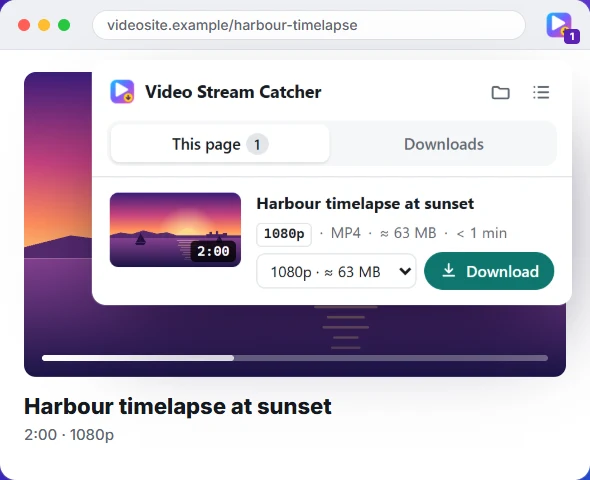
- On the page you're watching: the Video Stream Catcher extension finds the playlist and saves one MP4.
- With a link: the M3U8 to MP4 converter, in your browser.
- In a terminal:
ffmpeg -i "LINK.m3u8" -c copy video.mp4.
Already have the .ts pieces? Join them into one MP4. The full walk-through is in how to download an M3U8 video.