Updated 23 November 2026
The command
ffmpeg -i "https://example.com/video/index.m3u8" -c copy video.mp4-i "…m3u8": the playlist to read. Keep the quotes, because links often contain&or?.-c copy: copy the streams as they are. No re-encoding, so it's as fast as your connection and the quality is untouched.video.mp4: the output. FFmpeg picks the MP4 format from the extension.
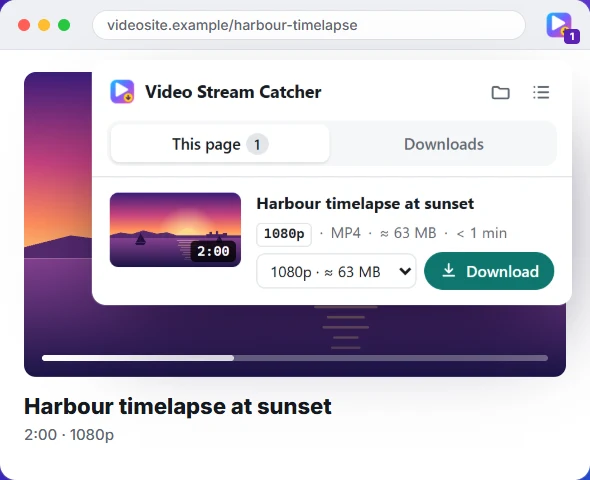
Don't want a terminal? The online M3U8 to MP4 converter does the same in your browser, and the Video Stream Catcher extension finds the link for you as well.
Install FFmpeg
- Windows:
winget install Gyan.FFmpeg, then open a new terminal. - macOS:
brew install ffmpeg(with Homebrew). - Ubuntu / Debian:
sudo apt install ffmpeg.
Check it works with ffmpeg -version.
Servers that answer 403: send the page's headers
Many video servers only answer requests that look like they come from their own player. Pass the page's address as the Referer, and a browser's user agent if needed. Options go before -i:
ffmpeg -user_agent "Mozilla/5.0" -headers "Referer: https://example.com/watch/123" -i "https://cdn.example.com/hls/index.m3u8" -c copy video.mp4Links that carry a token (?token=… or ?Expires=…) stop working after a while: copy a fresh one and run the command straight away. If the site needs your login cookies too, the extension is simpler, since it downloads with the browser's own session.
Choose a quality
A master playlist lists the same video at several qualities. By default FFmpeg takes the highest resolution. To see what's there:
ffprobe -hide_banner "https://example.com/video/master.m3u8"Each quality appears as a Program. Pick one by its number, here the third:
ffmpeg -i "https://example.com/video/master.m3u8" -map 0:p:2 -c copy video.mp4Separate sound
Some streams keep the sound in its own playlist (an #EXT-X-MEDIA:TYPE=AUDIO line in the master). If your MP4 is silent, give FFmpeg both playlists and tell it which stream to take from each:
ffmpeg -i video.m3u8 -i audio.m3u8 -map 0:v -map 1:a -c copy video.mp4A local .m3u8 file
If you saved the playlist and it lists web addresses, FFmpeg refuses them by default with Protocol 'https' not on whitelist. Allow them:
ffmpeg -protocol_whitelist file,http,https,tcp,tls,crypto -i playlist.m3u8 -c copy video.mp4If you already have the .ts pieces on disk, merge the TS files instead, with FFmpeg's concat option or in the browser.
Common errors
| Error | What it means | Fix |
|---|---|---|
Server returned 403 Forbidden | The link expired, or the server wants its page's headers | Fresh link; add -headers "Referer: …" |
Server returned 404 Not Found | The link is wrong or gone | Copy it again from the page |
Invalid data found when processing input | The link isn't a playlist (often a login or error page) | Check it in the M3U8 player |
Protocol 'https' not on whitelist | A local playlist points to web links | Add -protocol_whitelist file,http,https,tcp,tls,crypto |
Malformed AAC bitstream detected | Old FFmpeg version | Add -bsf:a aac_adtstoasc, or update |
Non-monotonous DTS warnings | Timestamps jump between pieces | Usually harmless; check the file plays |
| Never finishes | It's a live stream | Press q to stop and keep what's recorded |